Open the right station’s chat
Check the station name before posting: each station has its own community. Chat is not a private support request and does not automatically change the programme. External stations may have a discussion area while their audio comes from elsewhere.
Use text, emoji and GIFs
Write a clear question in text. Find emoji by category or search, or reuse a recent reaction. Preview a GIF before sending it; you can add a caption or remove the attachment. The demonstration offers a GIF selection, not an internet-wide search. Animation can be paused and reduced-motion preferences are respected.
Distinguish a song request from a message
A created station has a separate request action so a musical suggestion is not lost in conversation. It does not guarantee the song will play immediately. Add a short explanation if needed and avoid sending the same request repeatedly.
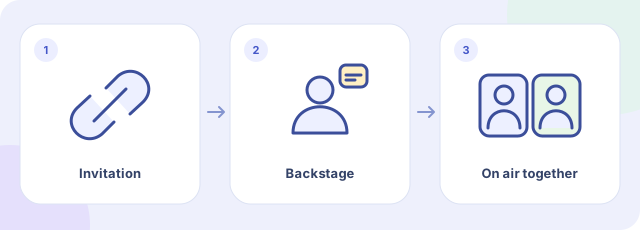
Understand the call sequence
Internal calls concern created stations and depend on the studio accepting requests. Prepare a topic, submit one request and wait for the presenter to accept or reject it. Waiting does not put you on air. Use headphones for an actual conversation and end the call afterward.
What the demonstration stores and sends
Messages, GIFs, song requests and calls demonstrate local interface states. They are not delivered to real listeners or presenters, and no audio connection or microphone access is established. Recent emoji are retained within the browser session; chat is not a place to store important information.
Can I call every station?
No. The internal call workflow belongs to created stations and requires an accepting studio. External streams do not provide that workflow.
Does the presenter hear me as soon as I press Call?
Can I send a GIF without text?
Yes. You can select a demonstration GIF with or without a caption and preview it before sending.